
 By
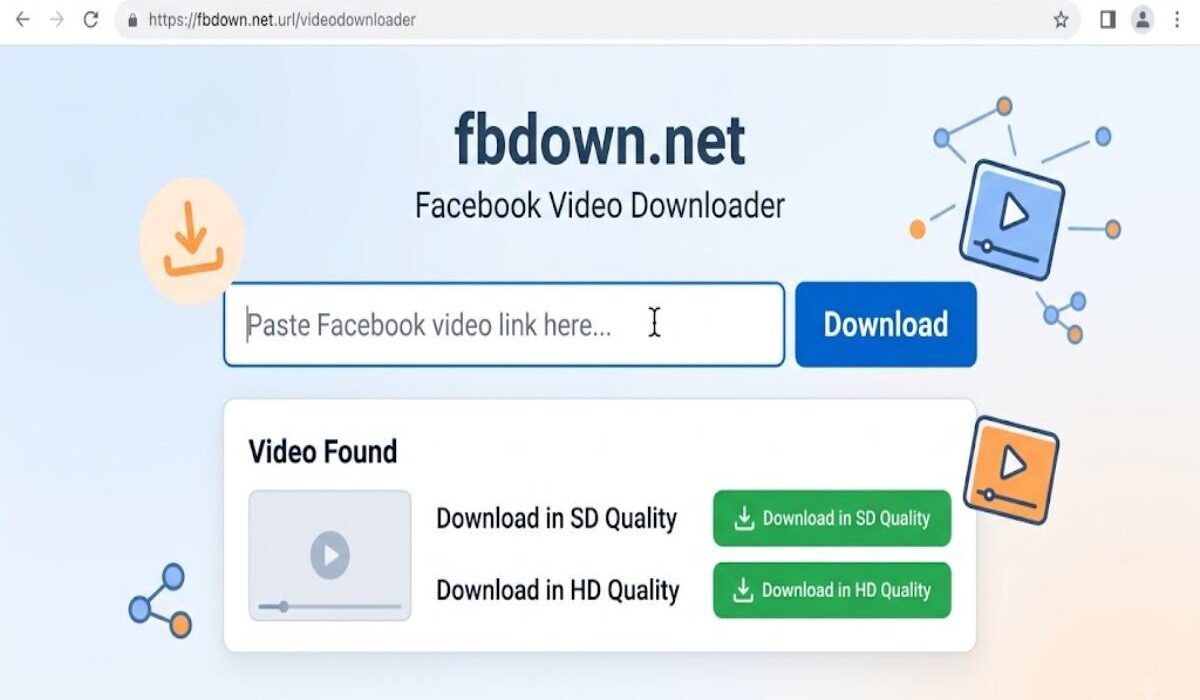
By Fbdown net is a browser-based Facebook video downloader that lets users paste a Facebook video link and generate a downloadable video file. The service was formerly branded as FBDOWN and is now primarily associated with FDOWN.net.
What Is fbdown net?
Fbdown net is a web-based tool designed to help users save Facebook videos for offline viewing. Instead of installing a dedicated application, users generally copy a Facebook video URL, paste it into the downloader and select an available quality option. The service is independent of Facebook and Meta. Its own disclaimer states that it is not associated with the Facebook brand.
One important detail is that the original FBDOWN service rebranded its main operation as FDOWN.net in 2021. The current FDOWN website still describes itself as “FDOWN (formerly FBDOWN)”.
Fbdown net at a Glance
| Feature | Details |
|---|---|
| Service type | Facebook video downloader |
| Access | Web browser |
| Account required | No |
| Installation | Not normally required |
| Typical output | Video file |
| Quality | SD or HD when available |
| Main use | Offline viewing |
| Facebook affiliation | No |
| Current brand | FDOWN / formerly FBDOWN |
How fbdown net Works
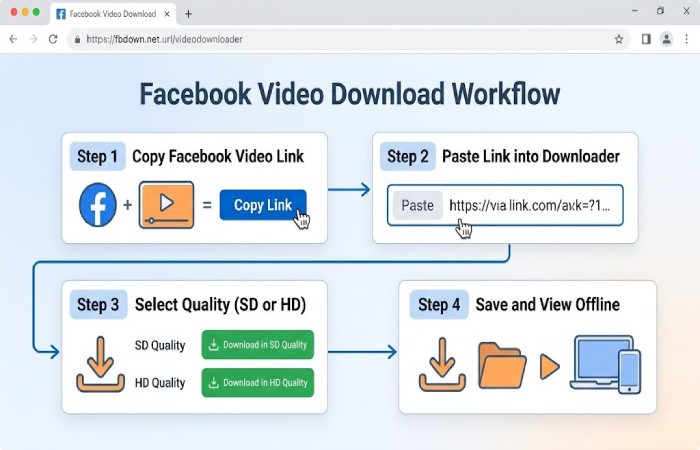
The basic workflow is straightforward:
- Open Facebook and locate the video you want to save.
- Select Share and choose Copy Link.
- Open the relevant FBDOWN/FDOWN service.
- Paste the video URL into the input field.
- Select Download.
- Choose an available quality such as SD or HD.
- Save the resulting file to your device.
The official FDOWN instructions describe essentially this process for desktop and mobile users.
Practical Workflow
Facebook video → Copy link → Paste URL → Detect video → Select quality → Save file
If a video opens in the browser instead of downloading, the service recommends using the browser’s Save As option on desktop.
Key Features and Limitations
The appeal of a browser-based downloader is convenience, but expectations should remain realistic.
| Area | What to expect |
|---|---|
| Ease of use | Simple URL-based workflow |
| Software | No dedicated downloader normally required |
| Public videos | Generally the strongest use case |
| Private videos | Availability can be unreliable |
| Quality | Depends on the source video |
| Speed | Depends on the video, server and connection |
| Audio | Some videos may have separate audio issues |
| Batch downloading | Not a core feature |
| Account | Not normally required |
The service has published updates addressing detection problems with Facebook links, Reels and audio-related issues, showing that compatibility can change as Facebook changes its video infrastructure.
Is fbdown net Safe to Use?
Safety needs to be considered in two separate ways: the downloader itself and the advertising environment around free downloader sites.
FBDOWN Net says it does not host downloaded videos on its own servers and that videos remain hosted on Facebook’s content delivery infrastructure. It also says that it does not keep download histories.
However, this should not be interpreted as a guarantee that every page, advertisement or similarly named domain is safe. The service itself warns users about websites that imitate its name or design.
Practical rule: check the domain carefully, avoid installing unknown extensions or software, and never provide payment-card information simply to download an ordinary Facebook video.
Copyright and Privacy Considerations
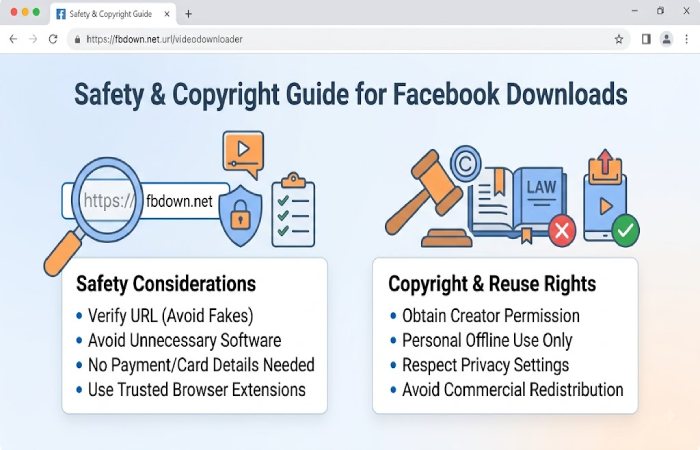
Being technically able to download a video does not automatically give you permission to reuse it. A public Facebook video may still be protected by copyright. Saving a video for personal offline viewing is different from uploading it to another social network, using it commercially or presenting it as your own work.
Private content deserves additional caution. If you have legitimate access to a private video, that does not necessarily mean you have permission to redistribute it. For business users, the safest approach is to obtain permission from the copyright owner before republishing downloaded material.
Performance Expectations
A downloader cannot create quality that was not present in the original upload. If a Facebook video was uploaded in low resolution, downloading it in an “HD” option does not magically turn it into genuine high-resolution footage.
Download performance also depends on factors such as:
- Facebook’s current video delivery system
- The video’s privacy settings
- Internet speed
- Browser behaviour
- Temporary service compatibility
- Whether the original video is still available
The current FDOWN site continues to publish compatibility fixes, including fixes for Facebook share links and previously problematic video formats.
Pros and Cons
| Pros | Limitations |
|---|---|
| Browser-based | Availability can change |
| Simple URL workflow | Private videos may not work |
| No normal account requirement | Advertising can create distractions |
| Useful for offline viewing | Does not improve source quality |
| Works across common devices | Copycat domains can cause confusion |
| SD/HD options may be available | Copyright restrictions still apply |
Who Should Use It?
A Facebook downloader can be useful for someone who wants to retain a public video for legitimate offline use, particularly when the creator has given permission or the content belongs to the user.
It may also be useful for creators who need to retrieve their own previously published material for editing or archiving. It is less suitable for people who need reliable access to private content, bulk downloads or advanced video-management features.
fbdown net vs Typical Video Downloaders
| Factor | fbdown/FBDOWN-style tool | Typical downloader app |
|---|---|---|
| Installation | Usually unnecessary | Often required |
| Access | Browser | App/software |
| Setup | Minimal | May require configuration |
| Device flexibility | Good | Depends on software |
| Privacy considerations | Browser and third-party service | App permissions also matter |
| Best suited to | Occasional downloads | Frequent or advanced use |
The browser approach is convenient, but it also means users are dependent on the website remaining compatible with Facebook.
Common Problems and Practical Fixes
The link is not recognised: Make sure you copied the complete Facebook video URL and try again.
The video is private: A downloader may not be able to retrieve it. Publicly accessible videos are generally the more reliable use case.
The video plays instead of downloading: On desktop, right-click the download link and use Save As.
There is no sound: Some Facebook videos can have audio-related compatibility problems. FDOWN’s FAQ specifically discusses videos affected by copyrighted music and separate audio handling.
The site looks different: Check that you have reached the legitimate service rather than a similarly named third-party website.
Alternatives to fbdown net
There is no single best option for every user.
For occasional public-video downloads, a browser-based service can be convenient. For your own Facebook content, Facebook’s native account and content-management options should generally be considered first. And for professional archiving, keeping the original source files is preferable to repeatedly downloading compressed social-media copies.
The best choice depends on whether your priority is convenience, ownership, quality, privacy or long-term storage.
Frequently Asked Questions
What is fbdown net?
fbdown.net is associated with the FBDOWN Facebook video downloader service, which later rebranded its main operation as FDOWN.net. It allows users to process Facebook video links through a web browser.
Is fbdown.net free?
The service describes FBDOWN/FDOWN as a free Facebook video downloader. Its website states that advertising helps support the service.
Does fbdown.net work on mobile?
Yes, the service provides instructions for Android and iPhone/iPad users using a mobile browser.
Is fbdown.net affiliated with Facebook?
No. The service explicitly states that it is independent and is not associated with Facebook or Meta.
Can fbdown net download private Facebook videos?
Private-video support should not be assumed. Availability can vary, and public videos are the more dependable use case.
Can I reuse a downloaded Facebook video?
Not automatically. Downloading a video does not transfer copyright or permission to republish it, so obtain appropriate rights before commercial or public reuse.
Final Verdict
Fbdown net is best understood as a simple Facebook video-downloading service associated with the older FBDOWN brand and its current FDOWN operation. Its main attraction is the straightforward browser workflow, but users should expect compatibility limitations, pay attention to the exact domain and treat downloaded content responsibly.
For occasional, legitimate offline saving of public Facebook videos, it can be practical. For private content, professional archiving or copyrighted material, a more cautious approach is appropriate.
